Compress Image Online
Reduce JPG, PNG, and WebP file sizes instantly. 100% private, browser-based compression with no uploads.
Image Compressor
Compress JPG, PNG, and WebP images instantly. Reduce file size without losing visible quality.
Drop your image here
Support JPG, PNG, WebP. Max 50MB.
How to Use This Tool
Upload Images
Drag and drop or select your JPG, PNG, or WebP files.
Adjust Quality
Use the slider to balance between file size and image quality.
Compress
The tool automatically processes the images in your browser.
Download
Save the optimized images to your device.
Batch Process
Compress up to 50 images simultaneously to save time.
Key Features & Benefits
Fast Processing
Instantly compresses images directly in your browser without waiting for server uploads.
Private & Secure
Zero-latency local processing means your files never leave your device.
Lossless Quality
Maintains perceptual quality while reducing file size up to 90%.
Multiple Formats
Supports JPG, PNG, and WebP image optimization.
Batch Support
Compress multiple images at once to speed up your workflow.
Mobile Compatible
Works perfectly on phones, tablets, and desktops.
Who is this for?
Web Developers & SEOs
Large images are the #1 cause of slow websites. Use this tool to improve your Core Web Vitals and Google PageSpeed scores instantly.
Designers & Creators
Need to email a proof to a client, but it's 50MB? Compress it down to 5MB so it fits in a standard email attachment.
E-commerce Owners
Optimize thousands of product photos for faster loading on mobile data, leading to higher conversion rates.
Privacy Conscious Users
Shrink personal photos for storage without trusting a cloud service to process your private moments.
Lossy vs. Lossless: Understanding the Technology
How do we make files smaller without ruining them? We use smart algorithms to discard data you can't see.
JPG Compression
Best for photographs. We use "perceptual quantization" to smooth out color variations that the human eye ignores. This drastically reduces file size while keeping the photo looking sharp.
PNG Compression
Best for logos and screenshots. We optimize the color palette. If your image only uses 50 colors, why save space for 16 million? We also strip invisible metadata like EXIF dates and camera models.
WebP Compression
The gold standard for modern websites. WebP offers the transparency of PNG and the small size of JPG. Converting images to WebP often cuts file size by another 30% compared to JPG or PNG, making it perfect for web optimization.
Why Local Compression Matters
Most online tools require you to upload your files to their servers. This uses bandwidth, takes time, and exposes your private photos to third parties. Our zero-latency compressor uses WebAssembly to run the compression engine directly inside your browser. This means your files never leave your device, ensuring total privacy and instant results.
Frequently Asked Questions
It depends on the image, but usually 60% to 90%. A 5MB photograph can easily become 500kb without noticeable degradation quality on a screen.
No. Unless you set the quality slider very low (below 30%), the compression is visually lossless. We optimize the file data, not just blur the pixels.
No. This is the most important feature of our tool. We use client-side technology. Your photo never leaves your browser.
Yes. Because we use your device's processing power, we don't have arbitrary limits like 'Max 5MB.' If your computer can open the image, we can compress it.
No signup or account is required. The tool is 100% free for everyone.
We currently support JPG, PNG, and WebP formats. We recommend converting PNGs to WebP for the best compression.
Related Tools You Might Like



Related Image & Media Tools
Handpicked utility tools from the same category that you might find useful.
Screenshot to Text (OCR)
Extract text from images using OCR technology
Image Blur Editor
Blur and redact sensitive information in images
Image Resizer
Resize and crop JPG, PNG & WebP images to exact pixel dimensions
Christmas Wishes Image Generator
Create personalized Christmas wishes images for free
Instagram Post Resizer
Resize images to Instagram square post size (1080x1080) instantly.
Instagram Story Resizer
Resize images to Instagram story dimensions (1080x1920) instantly.
Related Articles
Insights and guides to help you make the most of our tools.

The AI Content Trap (2026): Why 90% of AI Blogs Will Fail and How to Save Yours
Stop writing like a bot. That deadly generic AI opening is killing your SEO. Learn why 90% of AI blogs will fail in 2026 and the exact humanization techniques that turn robotic writing into rankable content.
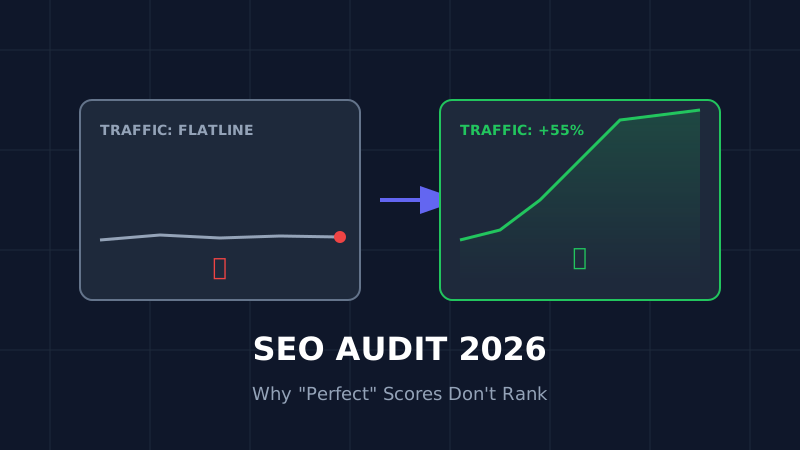
The Ultimate SEO Audit Checklist (2026): Why Your "Perfect" Site Is Invisible
Your site has 100/100 speed score but zero traffic? Stop optimizing for 2023. Here is the brutal, no-fluff SEO audit for 2026 that focuses on the only metrics that matter: Core Web Vitals and User Signals.

How to Resize Photos for Govt Exams (UPSC/SSC) So Your Application Doesn't Get Rejected
Imagine studying for 12 months, only to have your application rejected because your photo was 5KB too large. Don't risk it. Here is the exact guide to resizing photos for UPSC, SSC, and Bank exams.