"It's just a screenshot of my flight ticket. What could go wrong?"
Everything.
That PNR number? It can access your passport details.
That barcode? It holds your frequent flyer number.
That "Blur" tool you used on WhatsApp? It is reversible.
In 2026, data scraping bots don't just read text; they reconstruct it. If you are sharing screenshots of bank transfers, endless emails, or shipping labels without properly redacting sensible data, you are basically handing your identity to scammers on a silver platter.
Here is how to share evidence without sharing your life.
The "Highlighter" Mistake
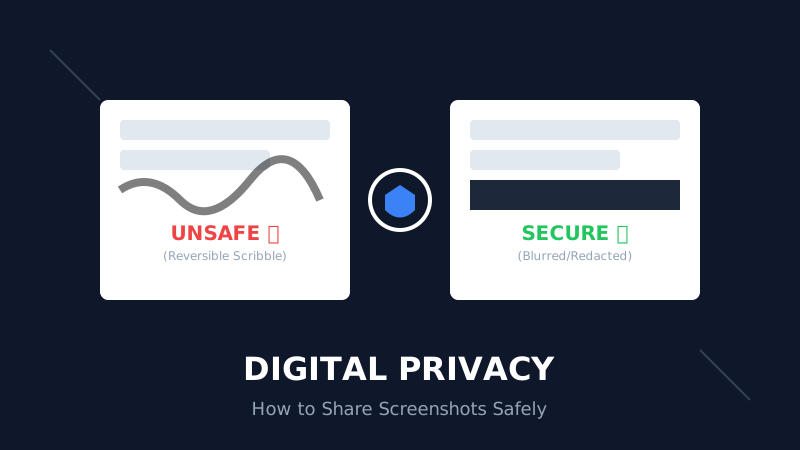
Most people use the iPhone or WhatsApp "markup" tool to scribble over text. They think blacking it out hides it.
It doesn't.
If you change the "Exposure" and "Contrast" of that image in any photo editor, the underlying text becomes visible again. This is because the "pen" tool is semi-transparent by default.
Rule #1: Never "scribble." Always Redact. You need a solid block of pixels, not a layer of ink.
How to Blur Text Safely (The Right Way)
You don't need Photoshop to protect your data. You just need a tool that destroys the pixel data instead of painting over it.
Use the Blur Text in Images Online tool.
- Why: It applies a "Gaussian Blur" or solid box that permanently alters the image file.
- Result: Even if a hacker has the raw file, the data is mathematically gone.
The "Extract" Strategy for Long Screenshots
Sometimes you want to share the text of an email, but not the email address or the timestamp. Taking a screenshot and cropping it is risky because metadata (location, device info) might still be attached to the image file.
The safer alternative? Extract the text.
Use the Screenshot to Text converter.
- Upload the screenshot.
- Copy the plain text.
- Edit out the names/dates in Notepad.
- Share the text.
This strips away 100% of the visual metadata and hidden pixel information.
3 Things You Must Always Redact
If you post these on Twitter/LinkedIn, you are asking for trouble:
- QR Codes / Barcodes: Even a tiny corner of a QR code is readable by AI correction tools. Blur the entire code.
- API Keys / Tokens: "I'll just delete the repo later." Too late. Bots scan GitHub in real-time. Blur it before you commit.
- URL Parameters:
example.com/dashboard?session_id=12345. Thatsession_idis a key to your account. Crop the URL bar or blur the parameters.
The "Meta-Data" Trap
When you take a photo of a document on your desk, your phone records:
- GPS Coordinates (Your home address).
- Phone Model.
- Time of day.
When you upload this "raw" image to a forum, expert doxers can map your location.
Solution: Always process the image through a tool (like an Image Compressor) before sharing. Most optimization tools strip EXIF metadata to save space, incidentally protecting your privacy.
Summary: Post Smart, Not Fast
- Don't Doodle: Scribbling is not security.
- Blur It: Use a dedicated blurring tool.
- Extract It: If the image isn't necessary, use Image to Text and share the words.
Your data is your currency. Stop spending it on accidental screenshots.

Deep Mistry
Digital Marketing Expert | AI & Business Growth Specialist
Deep Mistry is a Digital Marketing Expert specializing in AI-driven growth strategies and business scaling. With an academic background in Computer Science and an MBA, he combines technical expertise with real-world marketing experience. Deep is also a researcher and book author, focused on building practical, privacy-first digital tools that help individuals and businesses work smarter.
Connect on LinkedInDisclaimer:
This article discusses digital privacy best practices. No method is 100% foolproof. Always exercise caution when sharing sensitive information online.