Etsy Shop Banner Resizer
Upload an image to crop, resize, and optimize pixel dimensions.
Select Image to Resize
JPG, PNG, WebP supported.
Etsy Shop Banner Requirements (2026)
- 📐Big Banner: 1600 × 400 pixels (Most Popular)
- 📏Mini Banner: 1200 × 160 pixels
- 📄Format: JPG, PNG, or GIF (non-animated)
- ✨Quality: Retina display optimized
Create a Professional Etsy Shop Banner
Your Etsy shop banner is the digital storefront of your business. It's the first thing potential buyers see! Our Etsy Banner Resizer helps you create the perfect 1600 × 400 pixel Big Banner or 1200 × 160 pixel Mini Banner without any blurry results.
Etsy Banner Sizes: Big vs. Mini
Etsy offers two banner styles. Choose the one that fits your brand:
1. Big Shop Banner (Recommended)
- Dimensions: 1600 × 400 pixels
- Why choose it? Makes a bold statement, showcases more products, and looks professional on mobile devices.
- Best for: Established shops, seasonal promotions, and clear branding.
2. Mini Shop Banner
- Dimensions: 1200 × 160 pixels
- Why choose it? Subtle and compact. Pushes your product listings higher up the page so customers see items faster.
- Best for: Shops that want listings to be the main focus immediately.
💡 Pro Tip:
We recommend the Big Banner (1600x400) for most sellers. It builds trust and brand recognition. If you switch to Mini later, resizing is easy!
Other Etsy Image Requirements
- Shop Icon: 500 × 500 pixels
- Order Receipt Banner: 760 × 100 pixels
- Listing Images: 2000px wide (minimum)
- Profile Photo: 400 × 400 pixels
- File Types: JPG, PNG, GIF
- Color Mode: sRGB
How to Change Your Etsy Shop Banner
- Go to Shop Manager on Etsy.com
- Click the pencil icon next to your shop name (Sales Channels)
- Click the pencil icon near the top banner area
- Select Change layout to switch between Big/Mini
- Click Add photo and upload your resized image
- Click Save
Design Ideas for Successful Shops
- Showcase Your Best Sellers: Create a collage of your top products.
- Feature Current Sales: Add text like "Summer Sale - 20% Off" (keep text centered!).
- Lifestyle Shots: Show your product in use (e.g., jewelry being worn, art on a wall).
- Behind the Scenes: A photo of your workspace or hands making the product.
- Trust Signals: Add "Free Shipping," "5-Star Rated," or "Handmade in USA" text.
Common Etsy Banner Mistakes to Avoid
- Using Low-Res Images: Blurry banners kill trust. Use 1600px width minimum.
- Text Too Close to Edges: Keep text in the center safe zone to avoid mobile cropping.
- Clashing Colors: Ensure banner colors match your shop icon and product photos.
- Too Much Text: Keep it simple. Your shop announcement section is for details.
- Ignoring Mobile Users: Check your shop on the Etsy app to ensure readability.
📱 Mobile Responsive Note
On mobile devices, Etsy may crop the sides of your banner. Always keep your logo and key text within the central 1200px area of the 1600px wide banner.
Why You Need a Professional Banner
Etsy is a visual marketplace. A professional banner:
- Increases "Favorite Shop" clicks
- Makes a memorable first impression
- Distinguishes your brand from hobbyist sellers
- Can directly drive sales for promotions
Free Tools for Designing Etsy Banners
- Canva: Has specific Etsy cover templates.
- PicMonkey: Good for collages.
- Adobe Express: Free easy-to-use editor.
Etsy Banner FAQs
Q: Can I use an animated GIF?
A: No, Etsy shop banners do not support animation. They will display as a static image.
Q: My banner looks blurry. Why?
A: Your image was likely smaller than 1600px wide. Use our tool to resize a high-quality photo to the exact 1600x400 dimensions.
Q: How often should I update my banner?
A: Update it seasonally (Christmas, Valentine's, Mother's Day) or whenever you launch a new collection.
Need a custom image size?
Use our universal Image Resizer tool to crop and resize your images to any custom dimensions.
Related Image Tools
Roblox Shirt Template Resizer
Resize images to Roblox shirt template size (585x559 pixels exactly)
Steam Avatar Resizer
Resize images to Steam avatar size (184x184 pixels)
Indian Passport Photo Resizer
Resize photos to Indian passport size (2x2 inch / 51mm x 51mm / 600x600 pixels)
US Visa Photo Resizer
Resize photos to US visa size (600x600 pixels / 2x2 inches)
Telegram Sticker Maker
Resize images to Telegram sticker size (512x512 pixels PNG/WebP)
Google Business Cover Resizer
Resize images to Google Business cover photo size (1024x576 pixels)
Discord Profile Banner Resizer
Resize images to Discord profile banner size (600x240 pixels)
Discord Server Banner Resizer
Resize images to Discord server banner size (960x540 pixels)
Related Image & Media Tools
Handpicked utility tools from the same category that you might find useful.
Screenshot to Text (OCR)
Extract text from images using OCR technology
Image Blur Editor
Blur and redact sensitive information in images
Image Compressor
Compress JPG, PNG & WebP images up to 80% without losing quality
Image Resizer
Resize and crop JPG, PNG & WebP images to exact pixel dimensions
Christmas Wishes Image Generator
Create personalized Christmas wishes images for free
Instagram Post Resizer
Resize images to Instagram square post size (1080x1080) instantly.
Related Articles
Insights and guides to help you make the most of our tools.
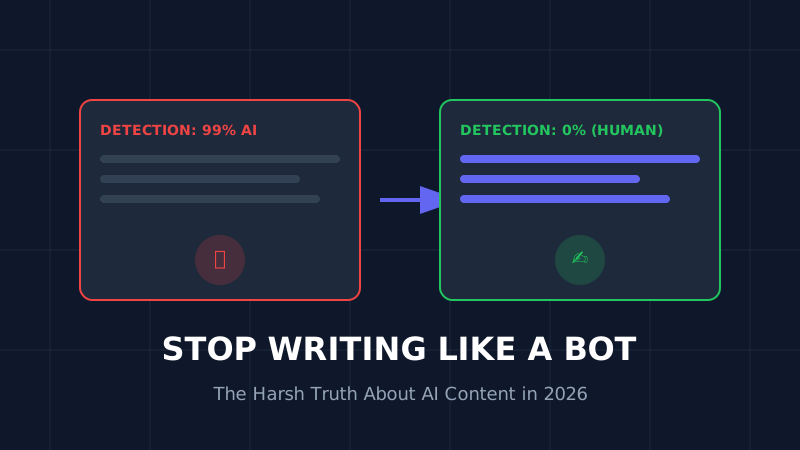
The AI Content Trap (2026): Why 90% of AI Blogs Will Fail and How to Save Yours
Stop writing like a bot. That deadly generic AI opening is killing your SEO. Learn why 90% of AI blogs will fail in 2026 and the exact humanization techniques that turn robotic writing into rankable content.
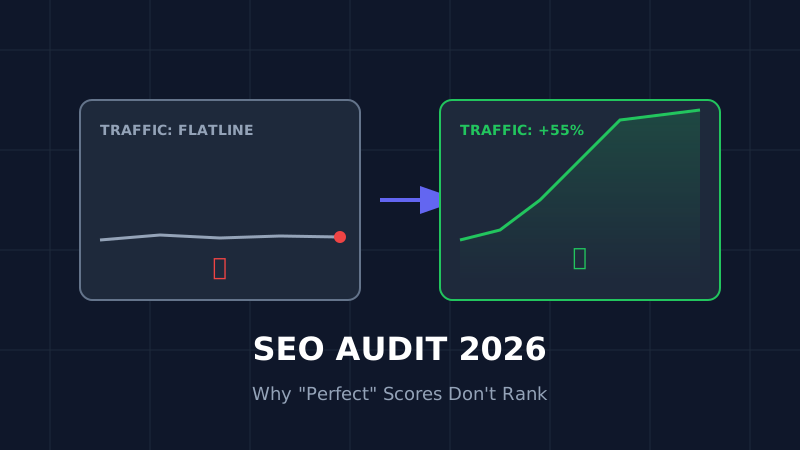
The Ultimate SEO Audit Checklist (2026): Why Your "Perfect" Site Is Invisible
Your site has 100/100 speed score but zero traffic? Stop optimizing for 2023. Here is the brutal, no-fluff SEO audit for 2026 that focuses on the only metrics that matter: Core Web Vitals and User Signals.

How to Resize Photos for Govt Exams (UPSC/SSC) So Your Application Doesn't Get Rejected
Imagine studying for 12 months, only to have your application rejected because your photo was 5KB too large. Don't risk it. Here is the exact guide to resizing photos for UPSC, SSC, and Bank exams.